

Having compared thousands of products we know what Monitor Stand fits best to your individual needs. Discover our 5 exclusive recommendations now!
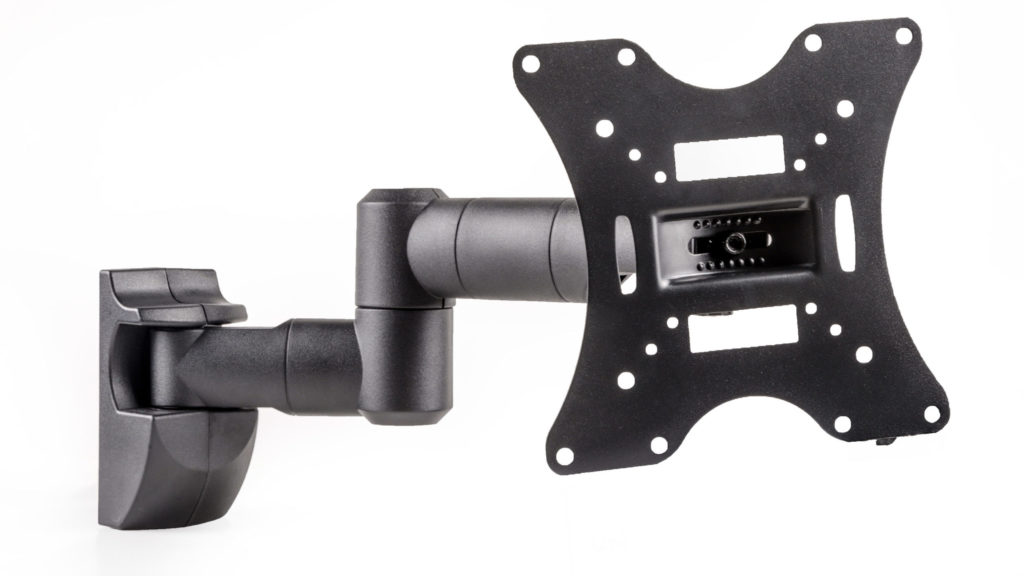
It is already time that you upgraded your working or gaming area, and you have decided that this time, you are going to buy a monitor stand. We've reviewed a variety of monitor stands and below we will present our findings on what consumer should look for when purchasing a monitor stand.
Best Choice

Designed for efficient work flow
Pros:
The monitor stand has integrated cable management. An integrated cable management helps to keep your work area clean and organized.
In addition, it is easy to mount your monitor. The VIVO Dual LCD Monitor Desk Mount Stand comes with a detachable VESA plates to mount the monitor.
The center pole of the VIVO Dual LCD Monitor Desk Mount Stand is strong and durable, and the stand can support up to 22lbs in weight. A strong monitor stand is prominent in ensuring that your monitors are secure.
Cons:
It is not possible to adjust the height of individual arms. You can only adjust the height of both arms at the same time. If the frames of your two monitors are different, the monitors might be uneven once mounted.
Best single-arm stand
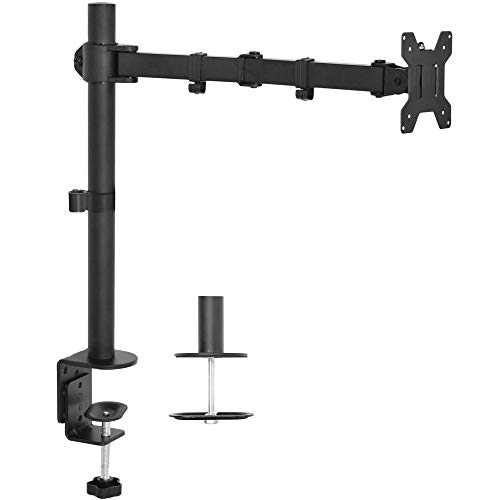
Ideal for single monitor setups
Pros:
The stand is easy to install. It comes with installation instructions and the tools needed for installation.
The Vivo Single LCD Monitor Desk Mount Stand is adjustable in height, which gives you options on how high you would want to place your monitor. It also has a 360 degrees rotation, a 360 degrees swivel, and a tilt of 15 degrees.
In addition, the Vivo Single LCD Monitor Desk Mount Stand has integrated cable management. The cable management feature ensures that the cables are clean, organized, and safe.
Cons:
The G-Clamp requires more than 3 inches of your desk ledge. You must make sure that the ledge on your desk is deep enough before purchasing this monitor stand. if the ledge is less than 3 inches, then the arm will not work.
Best free-standing
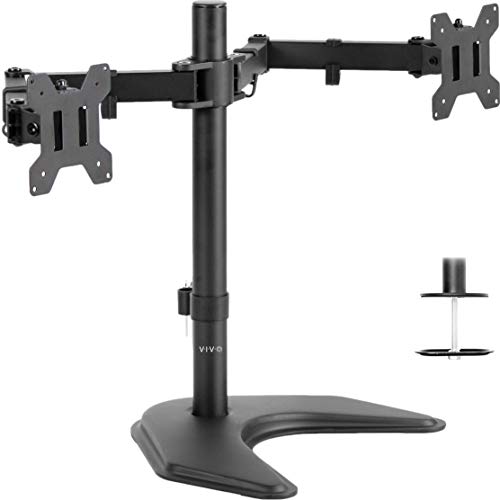
Enjoy freestanding features & benefits
Pros:
The VIVO Dual LED LCD Monitor Free Standing Desk Stand has a wide base, which gives it stability and hence enough strength to withstand the weight of two monitors. It is also made of steel and thus secure and safe for mounting your two monitors.
The two arms of the VIVO Dual LED LCD Monitor Free Standing Desk Stand have a tilt of up to 90 degrees, a swivel of 180 degrees, and a rotation of 360 degrees. Together with the height-adjustable center pole, it gives you an excellent viewing position.
The VIVO Dual LED LCD Monitor Free Standing Desk Stand is durable (made of high – grade steel), and thus a good investment.
Cons:
The monitor stand has limited stability. Stretching the arms too much, can make the base to lose its stability thus the stand falling over. If you intend to stretch the arms ensure that the monitor stand has been screwed to the desk firmly.
Best monitor stand riser
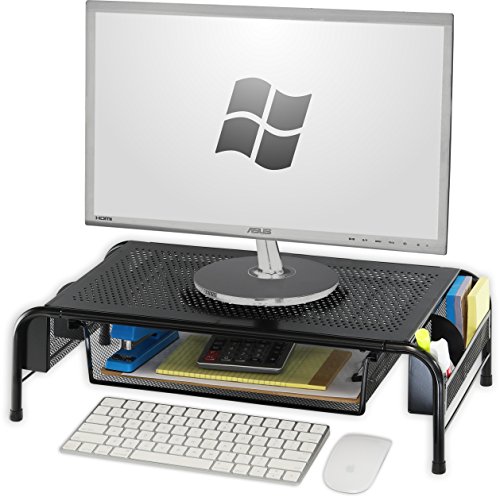
Practical solution for any desk
Pros:
The SimpleHouseware Metal Desk Monitor Stand Riser has an organizer drawer which you can use to store files and other stationery. You can also put the mouse, joysticks, flash disks, hard drives, etc. in the organizer drawer.
You can also use the SimpleHouseware Metal Desk Monitor Stand Riser as a stand for your laptop, notebook, printer, or computer.
Cons:
The SimpleHouseware Metal Desk Monitor Stand Riser has limited adjustability. It is not as flexible in its heights, tilts, and orientations as other stands in this list.
Best full motion swivel
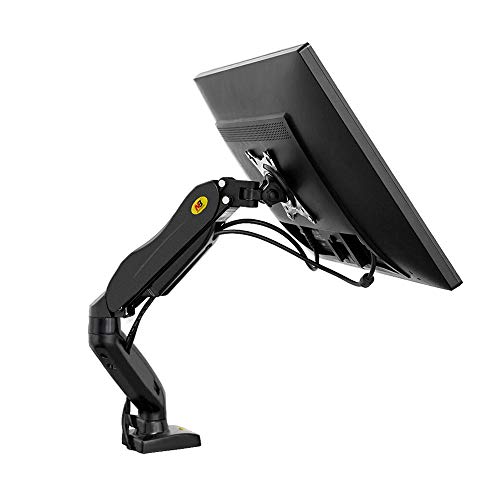
Adjust your workstation any wау yоu wаnt
Pros:
The monitor stand is compatible with most screens that are between 17 and 27 inches in size. The mount is also sturdy and stable hence ensures that your monitor is secure and safe.
Besides, to adjust the tilt, height or orientation of your screen, you will just have to press a button.
Cons:
The NB North Bayou Monitor Desk has one arm only, which makes it unsuitable for tasks that require you to have several monitors next to each other.
What matters?
Given the number of monitor stands that are on sale, choosing the best monitor stand can be a daunting task.
The following are some of the factors that you will have to consider when deciding which monitor stand to purchase. We hope that the guide will make it easier for you to choose the best monitor stand.
How much weight can the monitor stand carry?
Monitor stands have different capabilities when it comes to the weight that they can support. You must check the weight capacity of the monitor stand, to ensure that it can support the weight of your monitor.
Too much weight on the monitor stand will reduce its lifespan, and make it difficult to set the monitor at the right position. The Vivo Single LCD Monitor Desk Mount Stand, for example, can only support up to 22 lbs.
How many arms does the monitor stand have?
A monitor stand can have more than one arm. Some monitor stands have up to 3 arms.
It is easier to buy a monitor stand with more than one arm if your job description involves using several monitors next to each other. Such jobs include video editing and sound mixing.
Putting monitors, which you are using side by side simultaneously, saves you a lot of time due to the reduced movement.
Adjustability
Monitors stands have different degrees of adjustability. Adjustability is in terms of tilt, swivel and rotation. Tilt refers to how far the monitor can lean back or front. Swivel refers to the ability of the monitor to stay at both landscape and portrait positions. Rotation refers to how fur the monitor can turn left or right.
You must check whether the monitor will provide the expected degree of adjustability before you purchase it.
What is in right now?
Monitor stands have a rich history, and learning some of the prevailing trends right now is essential.
One of the main prevailing trends regarding monitor stands is that people appreciate standing workstations. In a conventional working station, one has to be seated. However, in this new arrangement, one works while standing. There are health benefits associated with this, such as a stronger and healthier backbone.
Another trend is that people are increasingly using monitor stands that can be attached to the wall. In most cases, a monitor stand is placed on a table or workbench. Attaching the monitor stand to the wall gives it more stability compared to placing the monitor stand on a desk. If you intend to have a permanent designated working or gaming area, then attaching the monitor stand to the wall sounds like a great idea.
Does Price Matter?
Yeah, of course, price matters. The costs of building a given monitor stand are reflected in its price. Therefore, at different prices, expect to find a monitor stands with various features, and with different qualities.
To give you an overview of how price matters, the following are some of the features to expect in a given price range.
Cheap
Cheap monitor stands cost less than $30. At this price, expect to get a monitor stand with just the most basic features that define a monitor stand.
You may find the monitor stand’s weight capacity to be very low, the material used to build the monitor stand to be of poor quality, the monitor stand to be less durable, and the monitor stand to have poor adjustability.
However, this does not necessarily mean that cheap monitor stands are always of lesser quality. Some of them are of superior quality, and you must ask for their reviews before deciding not to buy them.
Mid-range
These are monitor stands that cost between $30 and $ 80. Monitor stands that fall under this price range have more advanced features and will provide the best value for your money.
These monitor stands can support considerable weight, they are made with materials of superior quality, they are considerably durable, and their adjustability is excellent.
In most cases, the difference with those monitor stands that fall under the “expensive category is minimal.
Expensive
Monitor stands that fall under this price category cost more than $80. These are the most pricey, and they offer the most advanced features that the market can offer.
In most cases, you will find that the design of these monitor stands is futuristic. They are made from the strongest materials, and they are highly durable.
They also have additional features that are not in most monitor stands, such as cable management.
It is important to note that the price of the monitor stand is not always an accurate depiction of the stand’s superiority. It is possible to find a monitor that falls under the “cheap” category, with superior qualities compared to a monitor stand that falls under the “expensive” category.
The best strategy is to compare the features. And to also seek genuine reviews from people who have worked with the monitor stand.
Frequently Asked Questions (FAQ)
Are Monitor Stands Universal?
No. Monitor stands are not universal. They come in different sizes and with various features. A given monitor stand is also only compatible with specific monitors, not all monitors. It is essential to ensure that the monitor stand is compatible with your monitor.
Are monitor stands worth it?
Yes. If you regularly bend your head to look at the screen of your computer, you are likely to develop eye, neck, and back pains. A monitor stand helps you to mitigate the risks associated with an improper screen height.
Why Trust Us
At Mandatory, we want to engage young men with content and stories that entertain and inspire while urging our readers, whenever possible, to get actively involved and do some good. Mandatory now means what it says: Showing up isn’t optional anymore.